What Is Interia Poczta?
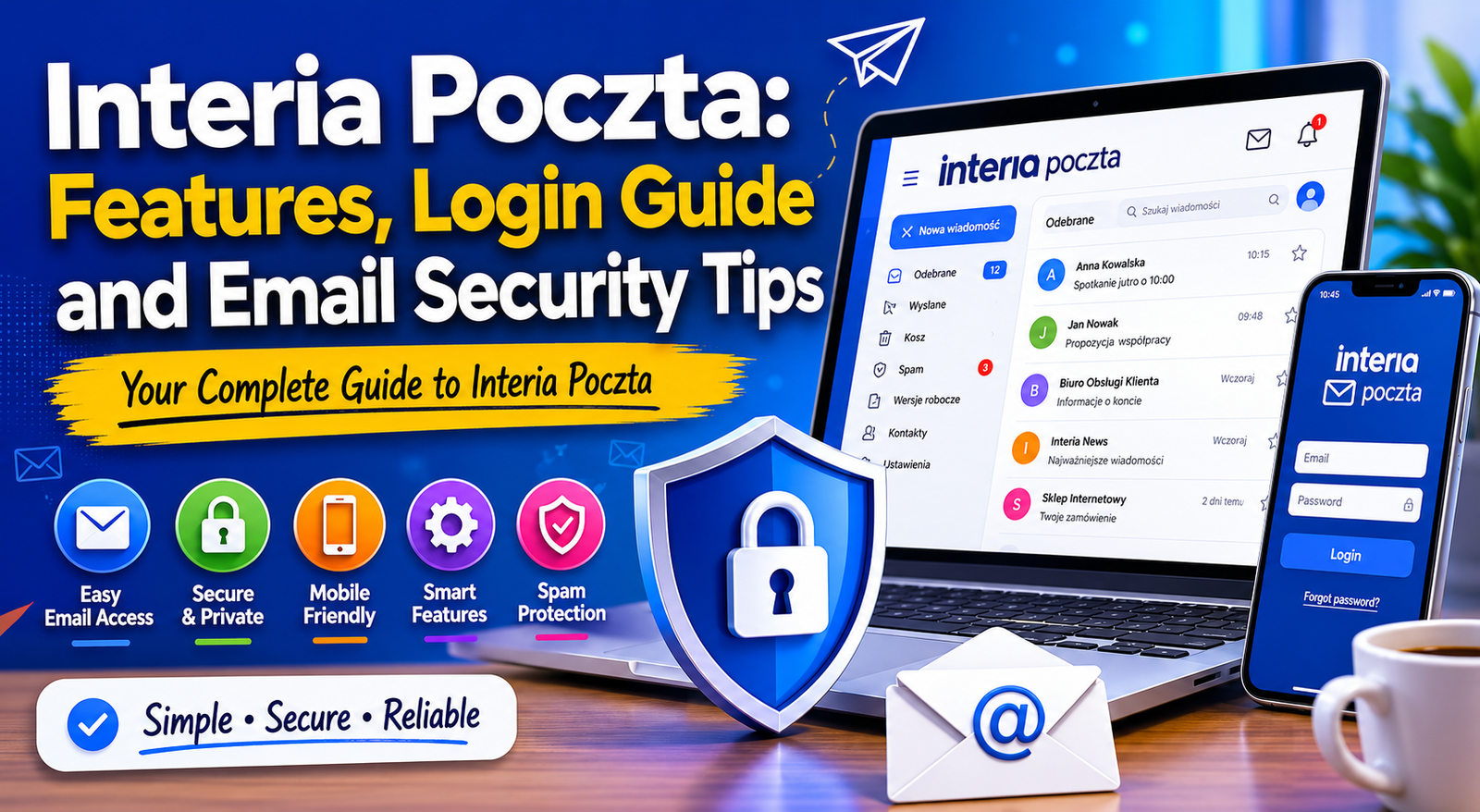
Interia Poczta is a popular email service offered by the Polish internet portal Interia. It allows users to create free email accounts, send and receive messages, organise contacts and access webmail from desktop and mobile devices.
The platform is widely used in Poland and supports users who want a straightforward email solution with practical features. Over the years, Interia Poczta has evolved to include stronger spam filtering, mobile access and improved security settings.
Like other modern email services, it supports:
- Email storage
- Contact management
- Spam protection
- Password recovery
- Mobile synchronisation
- Attachment support
For users who prefer a local European email platform or already use other Interia services, Interia Poczta can be a convenient choice.
Key Features of Interia Poczta
Simple and User-Friendly Interface
One of the strongest points of Interia Poczta is its clean and accessible interface. Even users with limited technical knowledge can quickly navigate through folders, settings and messages.
The dashboard is designed to help users:
- Read emails easily
- Compose new messages
- Search inbox folders
- Organise conversations
- Manage attachments
This simplicity makes the service suitable for students, professionals and older users alike.
Mobile Accessibility
Interia Poczta can be accessed through:
- Mobile browsers
- Dedicated apps
- Third-party email clients
This flexibility allows users to stay connected while travelling or working remotely.
Spam and Virus Protection
Modern email users face constant threats from phishing emails, malware and spam messages. Interia Poczta includes built-in filtering systems that help detect suspicious emails before they reach your inbox.
Security tools may include:
- Spam detection
- Suspicious link warnings
- Virus scanning for attachments
- Blocked sender management
These features help create a safer email experience.
Contact and Calendar Features
Many users rely on email platforms to manage more than messages. Interia Poczta also supports contact storage and organisational tools that help improve productivity.
You can:
- Save important contacts
- Create address groups
- Organise communication more efficiently
How to Create an Interia Poczta Account
Setting up an Interia Poczta account is relatively simple and usually takes only a few minutes.
Step-by-Step Registration Process
Step 1: Visit the Official Website
Go to the official Interia Poczta homepage and look for the registration option.
Step 2: Choose a Username
Select an email address that is professional and easy to remember.
Examples:
- firstname.lastname@
- businessname@
- personalnickname@
Avoid usernames with unnecessary numbers or symbols if possible.
Step 3: Create a Strong Password
Choose a password with:
- Uppercase letters
- Lowercase letters
- Numbers
- Special characters
Strong passwords reduce the risk of account hacking.
Step 4: Add Recovery Information
Provide a backup email address or phone number to help recover your account if you forget your password.
Step 5: Accept Terms and Complete Registration
After confirming your details, your account should be ready to use.
Interia Poczta Login Guide
How to Log In to Interia Poczta
Logging into your account normally requires:
- Your email address
- Your password
Enter these details on the login page and access your inbox securely.
Tips for Safe Login
Always:
- Use trusted devices
- Avoid public Wi-Fi for sensitive emails
- Log out from shared computers
- Check website authenticity before entering passwords
These habits can significantly improve account safety.
Common Login Problems and Solutions
Many users occasionally experience login issues. Fortunately, most problems can be fixed quickly.
Forgotten Password
If you cannot remember your password:
- Select “Forgot Password”
- Verify your identity
- Follow password reset instructions
Make sure your recovery email and phone number stay updated.
Incorrect Login Credentials
Double-check:
- Capital letters
- Typing errors
- Keyboard language settings
Simple typing mistakes are common causes of failed logins.
Browser Issues
Sometimes login pages fail due to browser-related problems.
Try:
- Clearing cookies and cache
- Updating your browser
- Using another browser temporarily
Suspicious Activity Lock
If unusual activity is detected, your account may be temporarily locked for security reasons. In such cases, follow official recovery steps carefully.
How to Use Interia Poczta on Mobile Devices
Mobile Browser Access
You can access Interia Poczta directly through your smartphone browser without installing additional software.
This option works well for occasional users.
Using Email Applications
Many people prefer using apps like:
- Outlook
- Apple Mail
- Gmail app
To connect Interia Poczta to third-party applications, you may need:
- IMAP settings
- SMTP settings
- Correct server information
Always use official setup instructions when configuring email clients.
Benefits of Mobile Email Access
Mobile access helps users:
- Respond quickly
- Check important updates
- Manage business communication on the move
- Receive notifications instantly
Email Security Tips for Interia Poczta Users
Use Strong and Unique Passwords
Weak passwords remain one of the biggest security risks.
Avoid:
- Birth dates
- Simple sequences
- Reused passwords
Instead, create unique combinations that are difficult to guess.
Enable Two-Factor Authentication
If available, two-factor authentication adds an extra layer of protection by requiring a second verification step.
This can greatly reduce unauthorised access attempts.
Watch for Phishing Emails
Phishing attacks often imitate trusted organisations.
Be cautious if an email:
- Requests personal information
- Contains urgent warnings
- Includes suspicious links
- Has unusual formatting
Never click unknown links without verification.
Update Recovery Information
Outdated recovery details can make account recovery difficult.
Check regularly that your:
- Backup email
- Phone number
- Security questions
are current and accessible.
Avoid Public Computer Risks
When using public or shared computers:
- Do not save passwords
- Always log out completely
- Clear browser history after use
These simple steps help protect sensitive information.
Interia Poczta Settings and Customisation
Inbox Organisation
Organising your inbox improves productivity and reduces clutter.
Useful strategies include:
- Creating folders
- Using labels
- Archiving old emails
- Filtering newsletters
Notification Settings
Users can customise notifications to avoid distractions while still receiving important updates.
Options may include:
- Sound alerts
- Push notifications
- Email previews
- Notification frequency
Signature Management
Professional email signatures help create a more polished appearance.
A good signature may include:
- Full name
- Job title
- Company
- Contact details
Interia Poczta vs Other Email Services
Choosing the right email platform often depends on user preferences, language support and required features.
| Feature | Interia Poczta | Gmail | Outlook |
|---|---|---|---|
| Free Email Access | Yes | Yes | Yes |
| Mobile Support | Yes | Yes | Yes |
| Spam Protection | Yes | Advanced | Advanced |
| Polish Language Support | Strong | Moderate | Moderate |
| Third-Party Integration | Limited | Extensive | Extensive |
| Business Tools | Basic | Advanced | Advanced |
Who Should Use Interia Poczta?
Interia Poczta may suit users who:
- Prefer Polish-language services
- Need basic email functionality
- Want a simple user experience
- Use other Interia products
Benefits and Limitations
Main Benefits
Easy to Use
The platform is suitable for beginners and casual users.
Free Access
Users can create accounts without subscription costs.
Mobile Compatibility
Access across multiple devices improves convenience.
Possible Limitations
Fewer Advanced Features
Compared with large global providers, Interia Poczta may offer fewer integrations and business tools.
Limited Ecosystem
Some users may prefer platforms connected to broader productivity suites.
Tips for Better Email Management
Keep Your Inbox Clean
Delete unnecessary emails regularly to improve organisation and search performance.
Use Folders and Filters
Automatic sorting saves time and reduces inbox clutter.
Avoid Opening Suspicious Attachments
Unknown attachments may contain malware or phishing attempts.
Review Security Settings Regularly
Checking account activity and updating passwords periodically improves safety.
Back Up Important Emails
Critical documents and conversations should be stored securely outside your inbox when necessary.
Conclusion
Interia Poczta continues to be a practical and accessible email service for users who value simplicity, convenience and reliable communication tools. Whether you are creating a new account, solving login problems or improving your email security habits, understanding the platform’s features can help you use it more effectively.
The service provides essential email tools such as inbox management, mobile access and spam protection while maintaining a user-friendly experience suitable for everyday communication. Although it may not include every advanced feature found in larger global email ecosystems, it remains a dependable option for many users, especially within the Polish online community.
By following strong password practices, staying alert to phishing attempts and organising your inbox properly, you can enjoy a safer and more productive email experience with Interia Poczta.
About the Author